
Fracture Scan Lines in VRGS
Digital outcrops provide a great opportunity to collect statistical data on fractures. Here are a few tips to get you started.
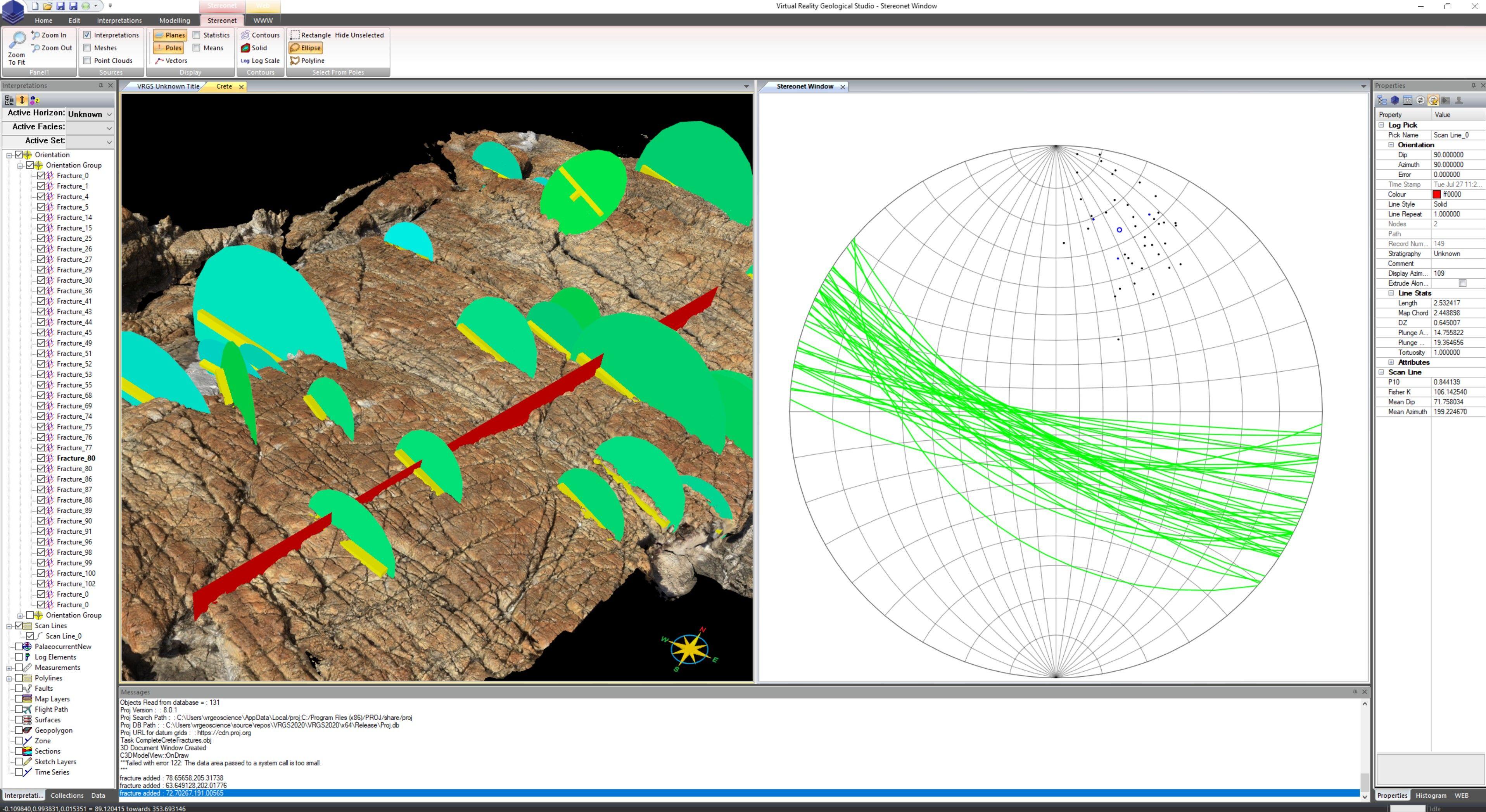
Fracture scan lines
A fracture scan line, or sampling line, allows you to measure the distances between fractures along a transect. If the fractures belong to the same set then this is called the set spacing for apparent or measured distance. Correcting for the orientation gives you the normal set spacing which is the distance perpendicular to the set orientation. It is this "normal set spacing" you usually require.
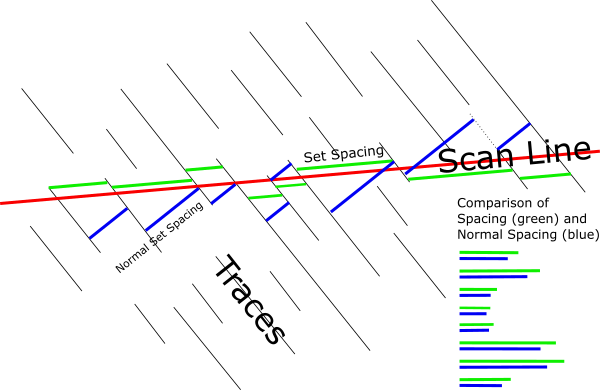
New in 2.65 Build 24
VRGS 2.65 Build 24 introduces a new Scan Line tool, found in the structure section of the interpretation ribbon bar. To use the new feature map your fractures in the usual manner (using the Dip Azimuth tool), then simply draw the location of the scan line using the new tool. VRGS will automatically add the displayed fractures which the scan line intersects, and calculate the set spacing and normal set spacing for you along with a few other stats:
- P10 - Number of fractures per unit length along the original line.
- P10Corrected - Number of fractures per unit length along the normal direction (true spacing).
- Fisher K value - a measure of dispersion. The higher the number the more clustered the data is.
Use export from an individual scan line, or from the group to get the results in JSON format.
Fracture mapping is covered in one of the tutorial videos (see below) if you need more information.